


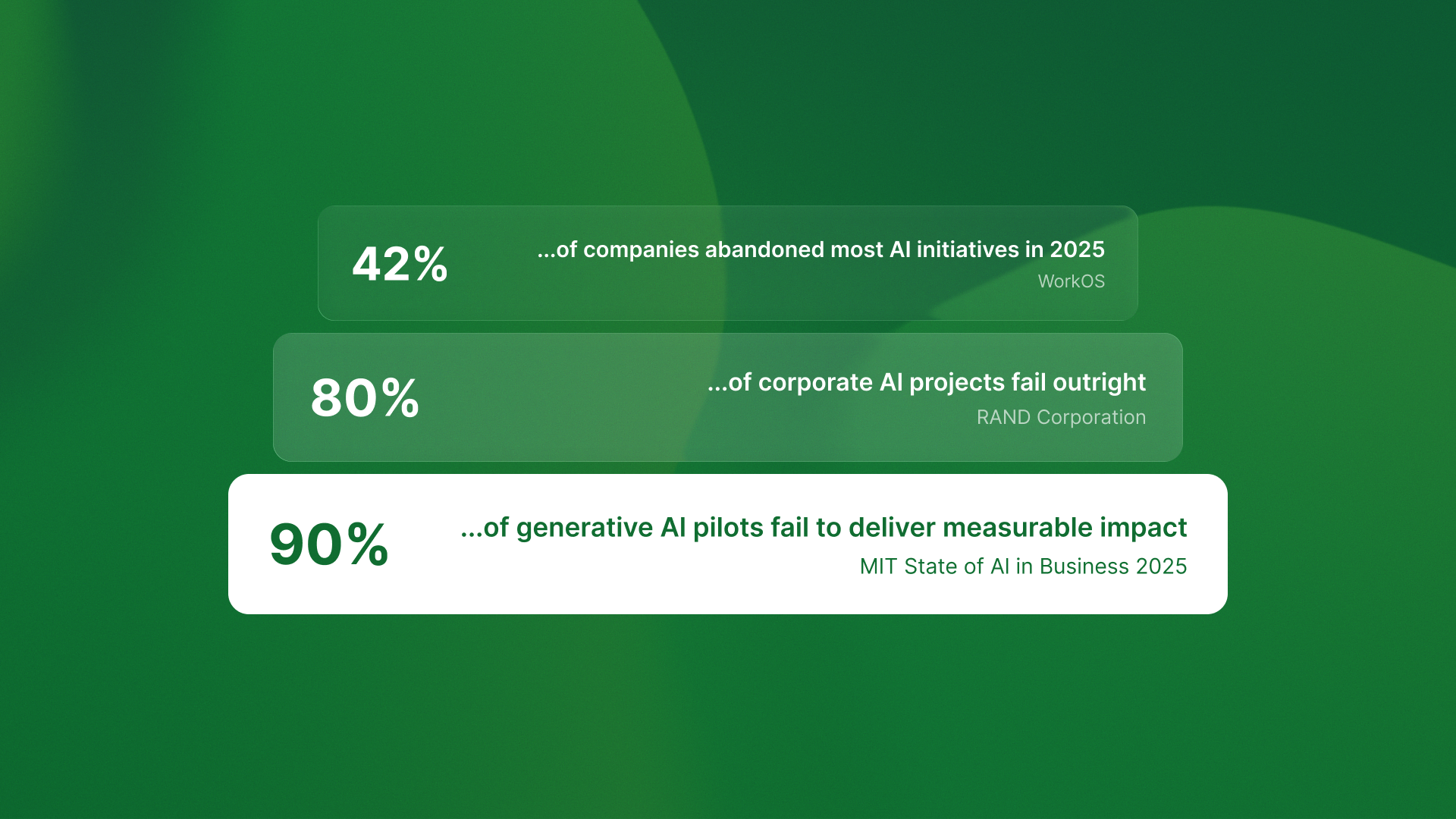
Ninety-five percent of generative AI pilots fail to deliver measurable impact.
That’s not my estimate. That’s MIT’s State of AI in Business 2025 report. RAND Corporation found over 80% of AI projects fail outright, twice the failure rate of traditional IT projects. WorkOS reports 42% of companies abandoned most AI initiatives in 2025, up from 17% in 2024.
I’m writing because the failure pattern I see across our portfolio companies differs from what most people think. It’s not about data quality. It’s not about model selection. It’s not even about talent.
It’s about architecture.
Most AI projects fail because teams architect for impressive demos instead of production systems. Prototypes are fast to build, but their patterns can’t handle production workloads, edge cases, or autonomous operation.
Here’s what that looks like in practice.
The demo trap: when fast prototypes become expensive rebuilds
Last month I was reviewing an AI project at a Series B SaaS company. They’d built a chatbot that could answer customer support questions. Impressive demo. Clean interface. Fast responses.
It never shipped.
The problem wasn’t the model or the data. The problem was architectural. They built an assistant that needed human oversight for every interaction. What they really needed was an agent. It could handle full workflows on its own.
The difference matters more than most teams realize.
Assistants augment human workflows. They suggest, draft, surface insights. GitHub Copilot suggests code completions. ChatGPT drafts emails. Salesforce Einstein surfaces customer insights. Every output requires human review and completion.
Agents replace workflows entirely. They perceive context, plan multi-step actions, execute through APIs, and learn from feedback. QA flow detects 847 bugs monthly running completely autonomously. Ingage orchestrates multi-week LinkedIn campaigns without human intervention.
These aren’t incremental differences. They’re fundamentally different architectural requirements.
The assistant architecture this team built couldn’t scale to agent capabilities without a complete rebuild. They’d optimized for low-latency responses and high human oversight. What they needed was robust error handling, autonomous recovery, and workflow orchestration.
Six months and $200K later, they’re rebuilding from scratch.
The four layers most teams skip
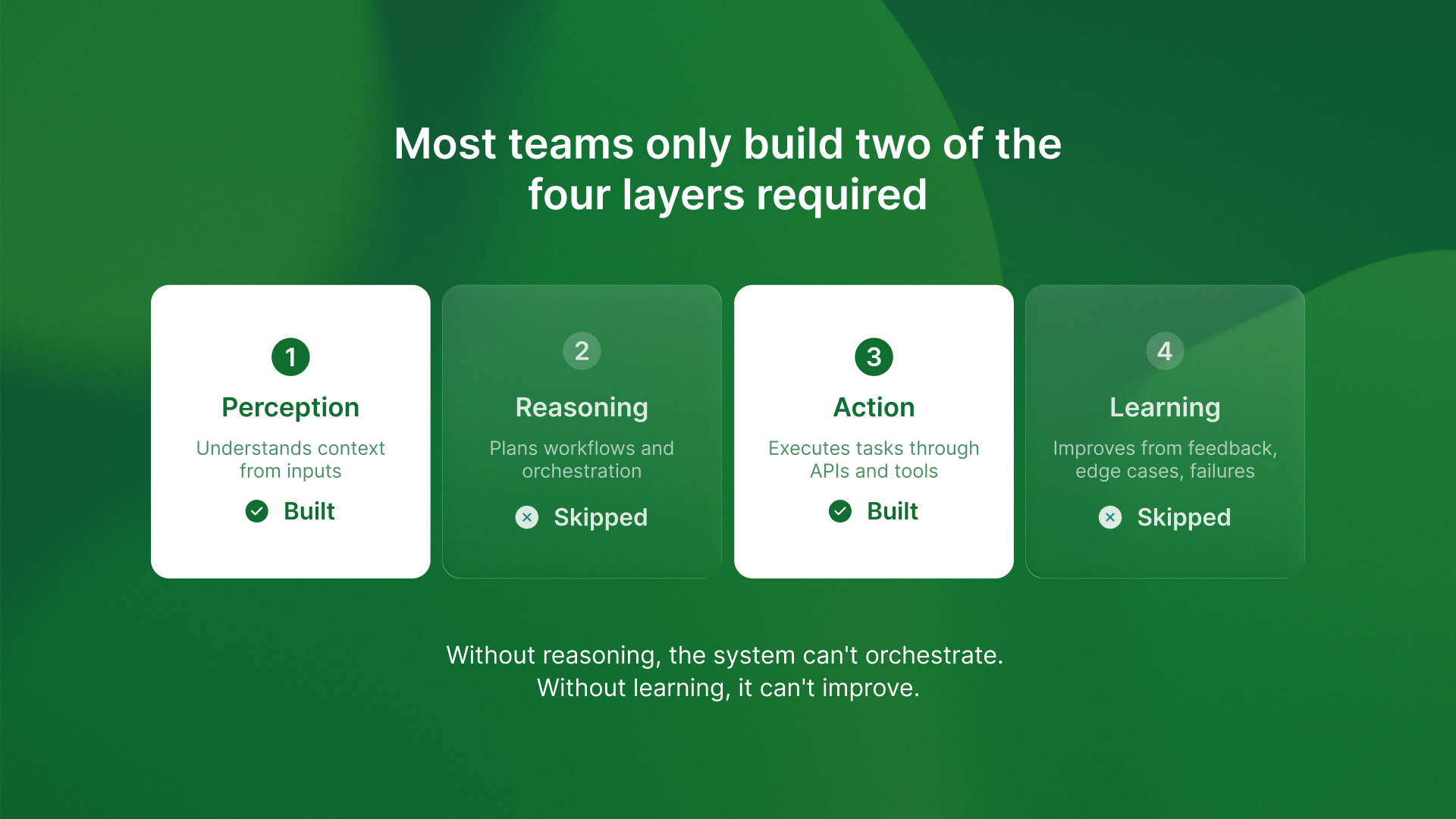
Here’s what I’ve learned from auditing failed AI projects. Most teams build only two of the four architecture layers that production agents need.
They build perception (understanding context from inputs) and action (executing tasks through APIs). They skip reasoning (planning multi-step workflows) and learning (improving from feedback).
Without reasoning, the system can’t handle complex workflows. It processes individual requests but can’t orchestrate sequences of actions. It’s like having an assistant who can answer questions but can’t execute a plan.
Without learning, it can’t improve. Every mistake repeats. Every edge case requires manual intervention. The system never gets better at its job.
I saw this pattern clearly when reviewing our AI agent predictions for 2026. The agents that will succeed aren’t the ones with better models. They’re the ones architected with all four layers from day one.
QA flow runs 2,400 test suites monthly because it implements complete perception-reasoning-action-learning loops. It detects design changes in Figma. It reviews what test coverage is needed. It generates and runs tests. It learns from failures to improve detection.
Most projects we audit built perception and action, then tried to add reasoning and learning later. The architectural foundation can’t support it. They have to rebuild.
The economics nobody talks about until it’s too late
Here’s something that surprises teams. The economic model for production AI agents is different from the research model they start with.
Demo projects don’t optimize for costs. They optimize for speed and impressiveness. Production agents have to prove ROI from day one.
QA flow costs $4,200 per month to run. That covers 2,400 test suites, infrastructure, and LLM API calls. It eliminates 2.5 QA engineer FTEs at $27,500 per month. The ROI is clear: $23,300 monthly savings.
But we architected for cost optimization from week one. We knew token counts, API efficiency, and infrastructure costs before we wrote the first line of code. We built monitoring and measurement into the foundation.
Projects that start without cost architecture burn budgets on inefficient API calls and can’t demonstrate ROI. I reviewed one company spending $18K monthly on an agent that saved one part-time contractor at $6K monthly. They couldn’t tell me which API calls drove costs or how to optimize them. Their architecture didn’t include cost monitoring.
They’re rebuilding with proper cost instrumentation. That’s another three months and another architect.
The pattern I keep seeing: teams that architect for production economics from day one ship profitable agents. Teams that add economics later rebuild or abandon projects. The cost and ROI breakdown isn’t something you can bolt on after launch.
Why the assistant vs agent decision determines everything
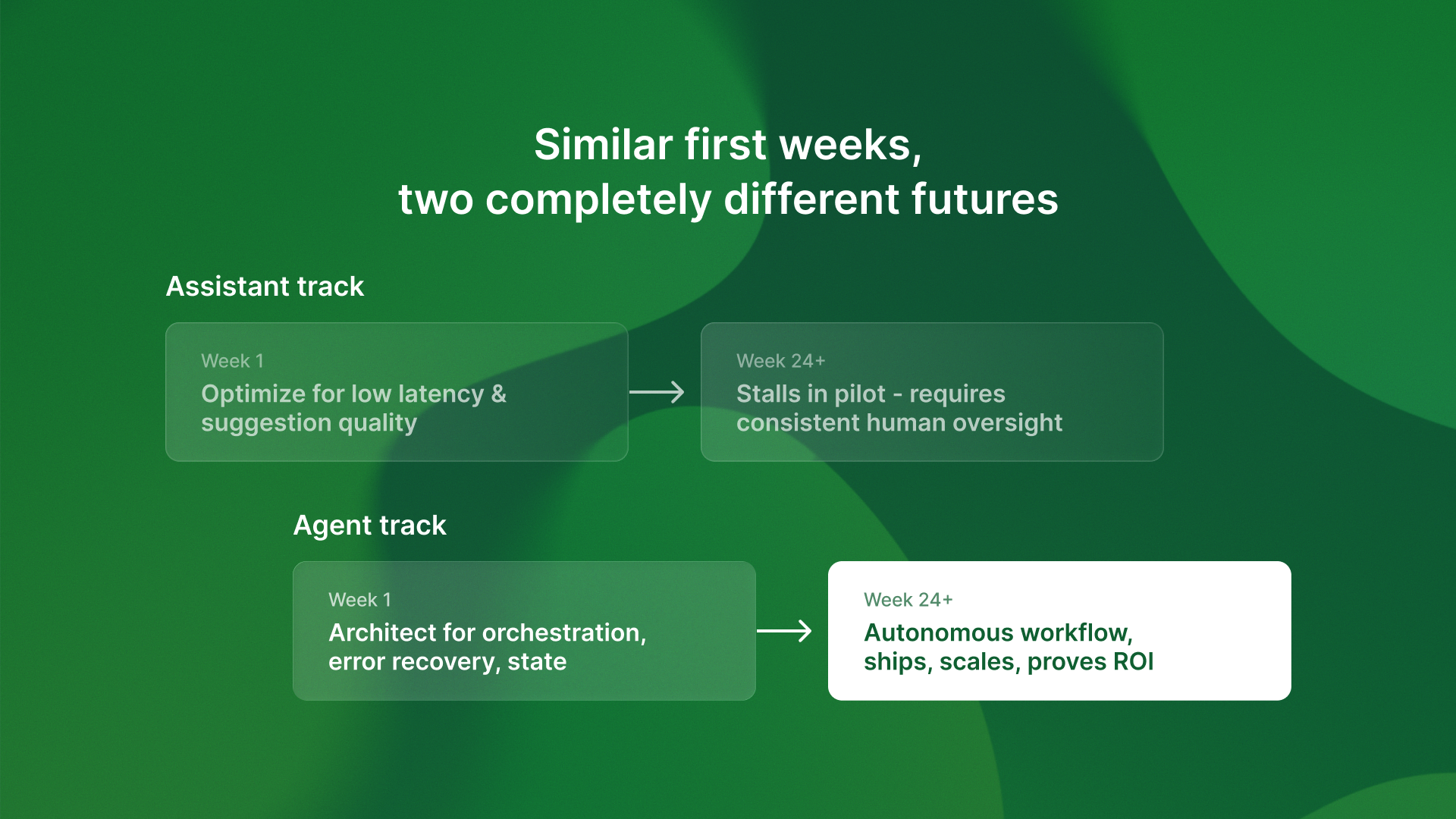
The architectural fork happens in week one, usually without teams realizing they’re making it.
Someone says “let’s build an AI assistant to help with X.” That sounds reasonable. Helpful. Low-risk.
But “assistant” suggests a specific design:
It assumes a human is involved in every decision.
It favors fast replies over perfect accuracy.
It is optimized for good suggestions, not autonomous action.
If you need to replace a workflow, not just add to it, you chose the wrong architecture.
I wrote about the difference between assistants and autonomous agents. This choice is the biggest predictor of project success I see. The 420% ROI number isn’t hype. It’s what happens when you architect for true autonomy instead of assisted workflows.
The companies shipping production agents made the autonomy decision in week one. They architected for systems that could handle complete workflows without human intervention. They built error recovery, state management, and feedback loops into the foundation.
The companies stuck rebuilding demos started with assistant architecture and tried to add autonomy later. The foundation can’t support it.
What this means for your timeline
Here’s the key competitive point: the architecture choices you make in week one decide if you ship in months or years.
Get the foundation right and everything else gets easier. Build for demos and you’ll rebuild for production.
The companies that will win the next 18 months aren’t the ones with the best models or the most data. They’re the ones that architect for production from day one. They optimize for autonomous operation, cost efficiency, and measurable ROI from the first architectural decision.
If you’re starting an AI project now, you have a choice. You can build for impressive demos that stall in pilots. Or you can architect for production systems that ship and prove value.
The 95% failure rate isn’t destiny. It’s the result of specific architectural anti-patterns that can be avoided if you know what to look for.
The time advantage goes to teams that get architecture right the first time. While competitors rebuild demos, you’re collecting production data, improving accuracy, and expanding workflows.
That’s not just a technical advantage. That’s an 18-month head start on the market.