


Hey,
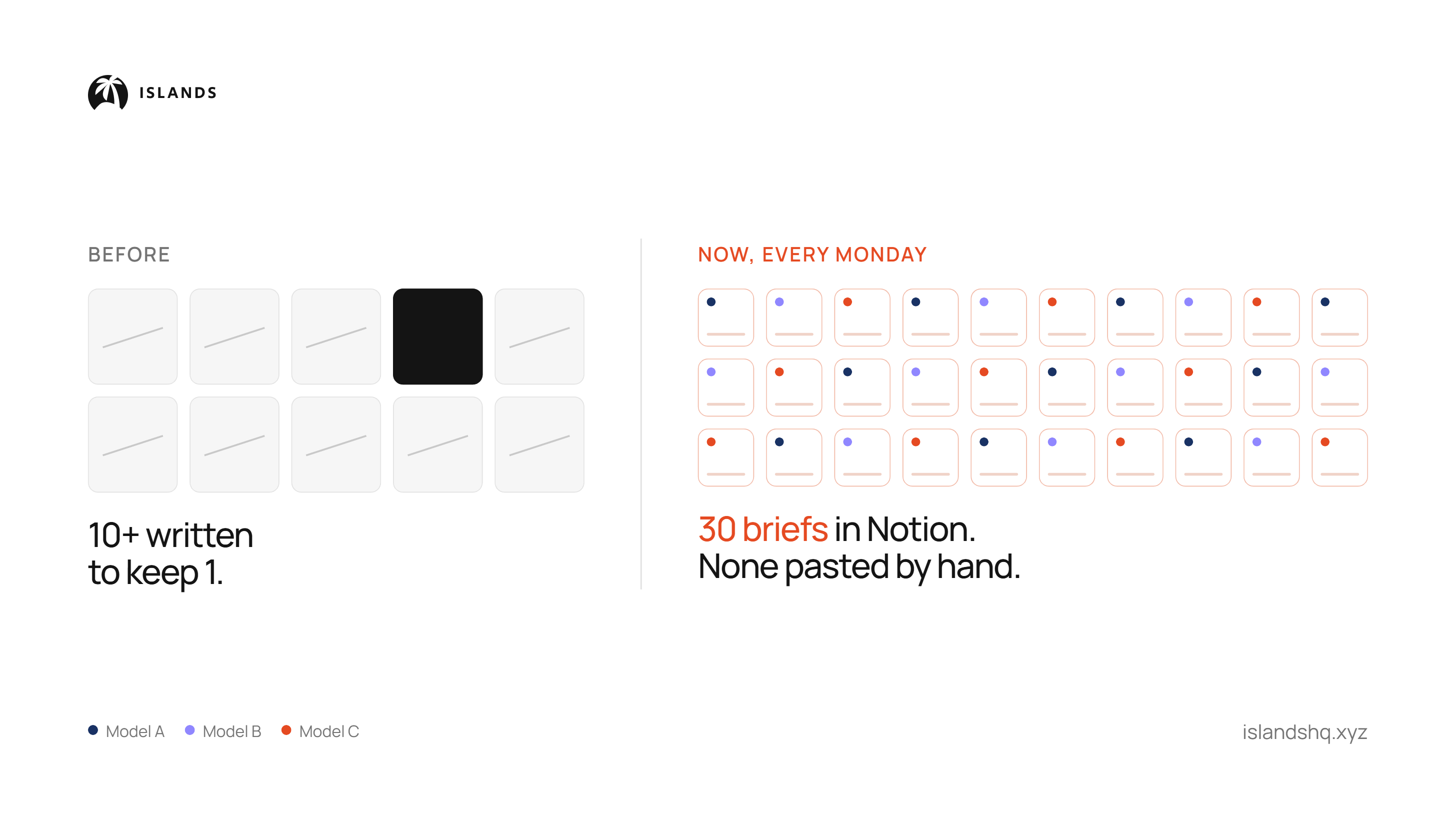
You've probably been there: you write ten drafts just to get one good one. That's what was happening at a performance marketing agency we work with. For every ad brief they kept, they wrote more than 10. That meant about 90% of that work ended up in the trash before anyone even read it.
Now 30 briefs land in Notion every Monday morning, in the same shape, and nobody pastes anything.
Here's what we did, how it helped their team, and the recipe if you want to try it yourself.
TL;DR
One performance marketing agency, about 50,000 live Meta ads, and a brief process that couldn't keep up.
Before: more than 10 briefs written to keep one, and every keeper pasted into Notion by hand.
Now: one n8n job runs at 8am ET every Monday and writes 30 structured briefs straight into Notion.
Every brief has the same fields: type, audience, tone, strategy, three hooks, a shorter body and callouts.
GPT-5, Claude, and Gemini all write briefs, and we tag each brief with the model that wrote it. That's how we'll pick the winner.
The vendor tool now has one job: the ad data. Everything else lives somewhere we can open and debug.
One caveat: the briefs are "effectively" all editor-ready. A few still need a human to adjust them.
Here's what that looks like
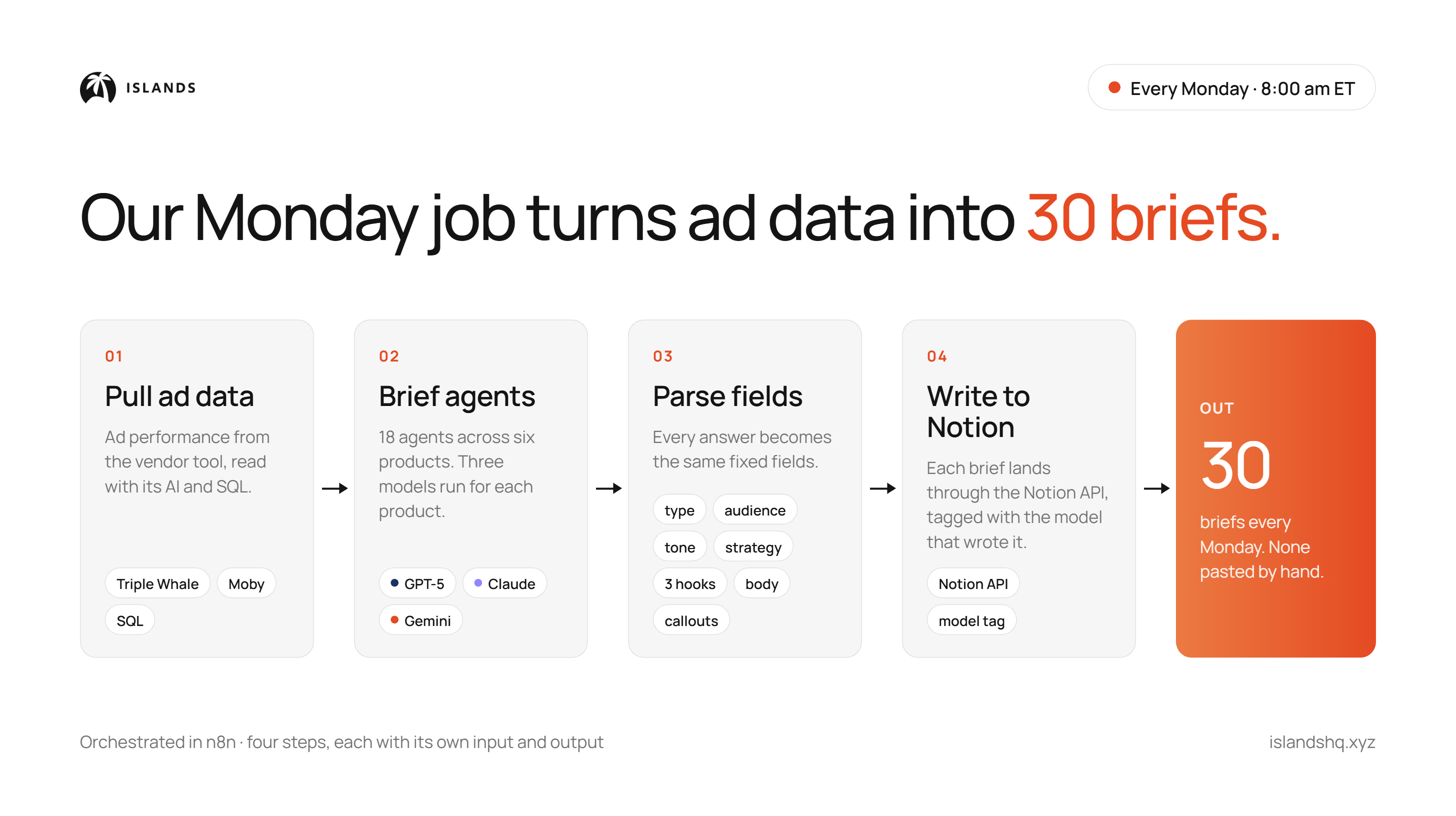
Here's the Monday job, step by step. Pull the data, send it to the agents, parse the answer, write it to Notion. In n8n, each one has its own input and output you can open.
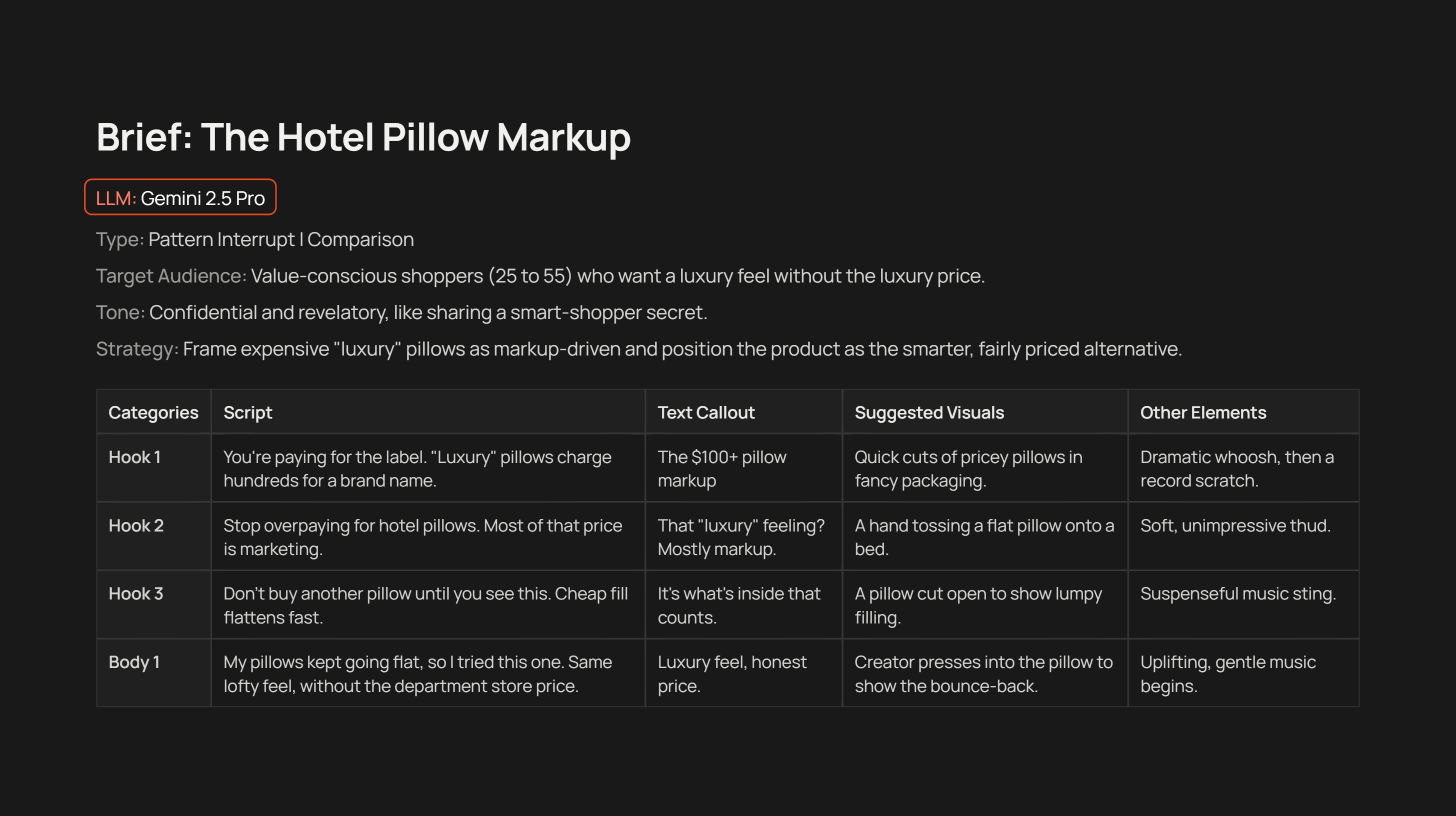
See the LLM line at the top? Every brief says which model wrote it.
It's been running every Monday since the week of March 9.
What we actually did
The agency's Meta account carries about 50,000 live ads, generated and scored through Triple Whale's Moby. At that size, the number of tests you can launch depends on how many usable briefs reach an editor.
Briefs weren't the only manual step. The agency's bar for winning headlines (ads above $1,000 spend and under $50 new-customer CAC) was retyped into Figma by hand.
Their ad tool (Triple Whale's Moby, plus SQL) is great at one thing: pulling the ad data. So that's the only thing we asked it to do. Everything else, like writing the prompts, sorting the answers and sending the briefs to Notion, we moved into n8n, where we can see every step.
Why split it? Well, when a brief comes out wrong, you can check the data, the prompt, the parsed fields and the Notion write as four separate steps. A problem you can find is a problem you can fix in an afternoon.
Instead of picking the best model up front, we set up 18 brief agents across six products, with GPT-5, Claude and Gemini running for each one.
What it produced
30 structured briefs in Notion every Monday, and nobody pastes anything.
Briefs that arrive in the same shape every week, with three hooks and callouts already filled in.
A model comparison built on the agency's own briefs, instead of someone else's benchmark.
An editor review that used to be a rewrite and is now mostly a read.
What's next: narrowing the 18 agents down to the 6 that work best, and testing two new pieces, a Figma plugin for winning headlines and a Claude Code campaign pipeline.
Want to try it? Here is how:
Let your ad tool do the one thing it's best at. For this agency, that's pulling the ad data.
Decide what a winner looks like, in numbers. Theirs: more than $1,000 spent and under $50 to land a new customer.
Pick the brief's fields first, then write the prompt. Type, audience, tone, strategy, three hooks, a short body, callouts. The prompt's only job is to fill them in.
Put it on a schedule. Ours runs every Monday at 8am ET, so the briefs are there when the week starts.
Sort the answers, then send them. Turn each answer into the same fields and drop it into Notion.
Label every brief with the model that wrote it. Let the real work show you which model wins.
Three mistakes to avoid
Letting one tool generate, format and deliver. When a bad brief shows up, you can't tell if it came from the data, the prompt, the parsing or the paste.
Running a bake-off before you start. Your own briefs will tell you more than a test set.
Calling a proof of concept finished. Say plainly what runs and what doesn't. Here, the Monday job runs. The Figma plugin doesn't yet.
How to start this week
Pick one recurring output your team still pastes by hand. Draw that workflow on one page, from the data to the place your team reads the result, and circle the one step your vendor tool does better than you could build it. Then look at what sits around that circle: the prompt, the parsing and the delivery. If any of those live inside the vendor tool, moving them somewhere you can debug is your first project.
If you try it, hit reply and tell us how it goes. And if you're running a vendor's AI tool you can't see inside, book a time with us and we'll walk through your workflow together.
Talk soon,
Ali · Islands